
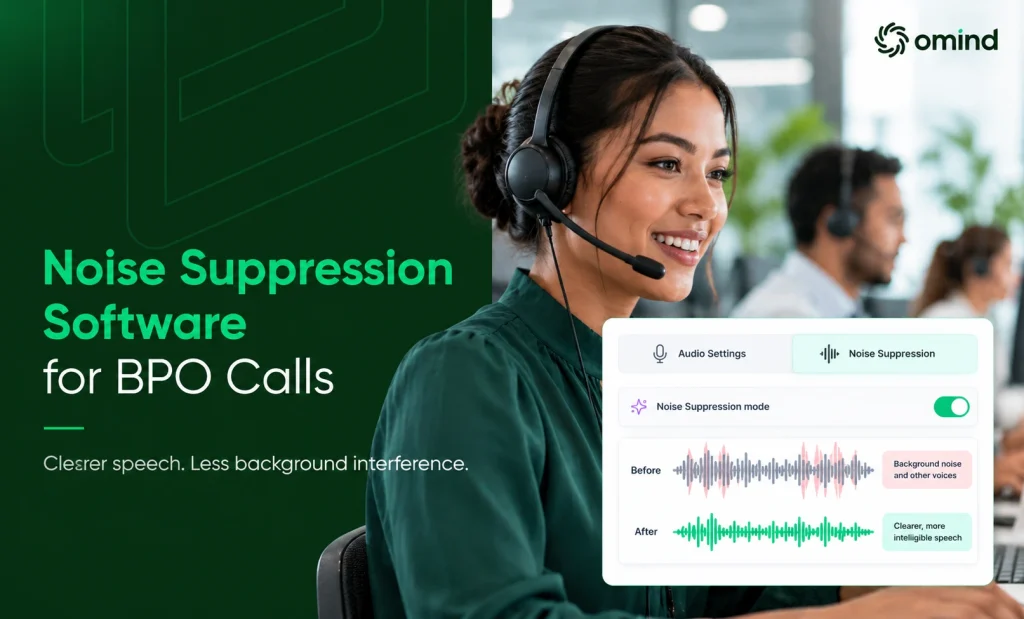
A customer is confirming a payment amount when another agent’s voice becomes audible in the background. The customer misses the last two digits and asks for the amount again. The connection is stable, but the microphone has captured more than the intended conversation.
In a busy BPO, these interruptions can create communication-repair work: repeated numbers, clarified instructions, and additional time spent confirming information already provided. Noise suppression software reduce that interference during the live call. But effective suppression is not simply about making audio quieter. It must remove unwanted sound while preserving the words the customer or agent needs to hear.
Understanding how that balance works is essential before connecting noise suppression to operational performance.
Key Takeaways
- Evaluate noise suppression software on conversation intelligibility rather than sheer volume reduction or ambient sound suppression under ideal conditions.
- Distinguish real-time live call processing from post-call recording cleanup to prevent audio clipping, missing words, or latency issues during critical customer interactions.
- Differentiate agent-side environmental noise from caller-side background interference, as filtering applied at the agent workstation cannot resolve caller-side sound.
- Diagnose hardware, connection stability, and network packet loss separately, since noise suppression algorithms cannot fix physical microphone defects or network jitter.
- Measure operational success by tracking reductions in communication-repair time and repeated clarification requests rather than relying solely on audio metrics.
- Combine real-time noise cancellation with targeted accent harmonization via Omind Accent Harmonizer to resolve both environmental interference and speech comprehension friction.
Table of Contents
- What Does Noise Suppression Software Do During a Live Call?
- Real-time Processing Is Different from Recording Cleanup
- Why Cleaner Audio Is Not Always More Intelligible Audio?
- Which Types of Background Noise Can Software Reduce?
- Agent-side and Caller-side Noise Suppression Solve Different Problems
- When Speech Is Audible but Still Requires Clarification?
- Where Noise Suppression Software Fits in BPO Operations
- Distinguish Audio Improvement from Operational Improvement
- How Omind Connects Noise Suppression with Accent Harmonization?
- Choose Audio Processing Based on the Problem It Must Solve
What Does Noise Suppression Software Do During a Live Call?
A contact center microphone captures an audio signal containing the agent’s speech and sounds from the surrounding environment.
Real-time noise suppression software processes that signal to distinguish useful speech from unwanted interference. Depending on the implementation, it may use signal-processing techniques or machine-learning models to estimate which audio components should be reduced.
The processed signal is then used during the ongoing conversation.
The difficulty is that useful speech and background noise are not always easy to separate. They can occur simultaneously and occupy overlapping frequency ranges. A system may suppress a fan successfully while having more difficulty distinguishing the primary agent’s voice from another person speaking nearby. The operational question is therefore not whether a product can reduce background sound under ideal conditions. It is whether it can do so during the types of conversations the contact center handles.
Real-time Processing Is Different from Recording Cleanup
Audio-editing software can remove unwanted sound from an existing recording. The processing can take place after the conversation, potentially with manual adjustments and repeated review.
A live BPO conversation operates differently. Noise suppression must respond continuously as the audio arrives. Customers cannot stop a payment confirmation or troubleshooting conversation while software processes the last sentence. Processing that adds excessive delay, removes words, or creates unstable audio can introduce a different communication problem.
The real-time noise suppression software must balance noise reduction, speech preservation, and responsiveness. A cleaned recording may improve playback for quality review, but it cannot undo a misunderstanding that occurred during the original customer interaction.
Why Cleaner Audio Is Not Always More Intelligible Audio?
Consider an agent reading a reference number while a keyboard clicks in the background.
If processing reduces the keyboard noise but also weakens part of a spoken digit, the call may sound quieter while becoming harder to understand. Similar problems can occur with low-volume speech, overlapping sound, or rapid changes between speech and silence.
The goal is sufficient interference reduction without losing useful speech information. For contact centers, this distinction is especially important when agents communicate amounts, account identifiers, names, addresses, dates, or step-by-step instructions.
Which Types of Background Noise Can Software Reduce?
Different sources of background noise place different demands on audio processing. A contact center should distinguish persistent environmental noise, sudden disturbances, and competing human speech rather than assuming every unwanted sound behaves the same way.
A vendor’s ability to reduce ambient noise does not establish that every overlapping conversation will be removed. The distinction explains why performance should be judged by the intelligibility of the conversation, not simply the amount of background sound removed.
Agent-side and Caller-side Noise Suppression Solve Different Problems
A contact center conversation has two audio directions, and interference can enter from either side.
- Agent-side noise suppression processes sound captured around the agent. For example, an agent working near other team members may transmit neighboring conversations through the microphone. Suppression can attempt to reduce that background interference before it reaches the customer.
- Caller-side noise suppression concerns sound arriving from the customer’s environment. The customer may be calling from traffic, a crowded location, or a room with multiple people speaking. An otherwise quiet agent workstation cannot eliminate interference already present in the caller’s audio.
What Noise Suppression Software Cannot Resolve
A damaged headset, unstable microphone connection, or incorrect device setting can cause poor audio quality. Network jitters and packet loss also affect how speech reaches the listener.
These failures are not equivalent to environmental noise. Applying stronger noise suppression will not necessarily restore missing packets, correct a faulty microphone, or resolve an unstable network connection. For teams still determining the source of their audio problem, Omind’s guide to evaluating noise cancellation software for call centers discusses the broader diagnostic and purchasing considerations.
When Speech Is Audible but Still Requires Clarification?
Another distinction emerges when background interference is absent, yet the listener still requests clarification. The issue may involve unfamiliar terminology, speaking pace, pronunciation patterns, language proficiency, or other comprehension factors.
These should not automatically be attributed to an agent’s accent. Noise suppression can reduce environmental interference, but it cannot resolve every difference in how speech is understood. Depending on the circumstances, appropriate responses may include clearer terminology, improved conversational practices, or a separately evaluated speech-clarity capability. The noise suppression and accent harmonization become related, but different technologies.
Where Noise Suppression Software Fits in BPO Operations
The strongest operational case for noise suppression software for BPOs is not that it makes calls sound more professional. Unwanted sound may cause additional communication work during otherwise routine interactions.
Consider a support team handling billing explanations, appointment changes, and account updates. When background noise obscures important information, customers may ask agents to repeat an amount, confirm a date, or restate the next step.
Individual interruptions may be brief. Their operational importance depends on how frequently they occur, which conversations they affect, and whether audio processing reduces them without introducing new difficulties.
Distinguish Audio Improvement from Operational Improvement
A quieter call is an audio outcome. Fewer unnecessary clarification events are a potential operational outcome. They are related, but they are not interchangeable.
A meaningful assessment considers whether:
- the intended speech remains understandable after processing
- noise-attributed clarification requests decrease
- repeated instructions become less frequent
- communication-repair time changes on comparable calls
- filtering introduces clipping, missing words, or audible distortion
These observations help an operations team determine whether improved audio quality translates into a useful difference in customer interactions. They do not justify assuming a particular reduction in average handle time, improvement in first-call resolution, or financial return.
How Omind Connects Noise Suppression with Accent Harmonization?
Noise suppression and accent harmonization address separate aspects of communication quality. Noise suppression focuses on unwanted environmental sound. Accent harmonization is intended to adjust aspects of how pronunciation is presented to the listener, potentially reducing specific comprehension difficulties while allowing agents to speak naturally.
Omind Accent Harmonizer, powered by Sanas, enables contact centers with real-time accent harmonization and noise-cancellation capabilities.
And where both environmental interference and speech-comprehension difficulties occur, the capabilities may address different sources of friction within the same operation. Neither technology guarantees that every customer will understand every conversation.
For more on their complementary roles, see AI Voice Enhancer for Converting Accents and Cancelling Noise.
Choose Audio Processing Based on the Problem It Must Solve
Noise suppression software can improve live-call audio by reducing unwanted interference. Its practical value depends on the source of that interference and whether the processing preserves the speech needed to complete the conversation.
For BPO operations, the useful distinction is between quieter audio and clearer communication.
Understanding how noise suppression behaves with different sound sources, processing directions, and speech-quality tradeoffs provides a stronger foundation for deciding where the technology belongs.
Evaluate Real-time Voice Clarity for Your Contact Center
Omind Accent Harmonizer brings together noise-suppression and accent-harmonization capabilities for live contact center conversations.
Explore the product and discuss your team’s audio environment, communication challenges, and deployment requirements to determine which capabilities may be relevant.


